
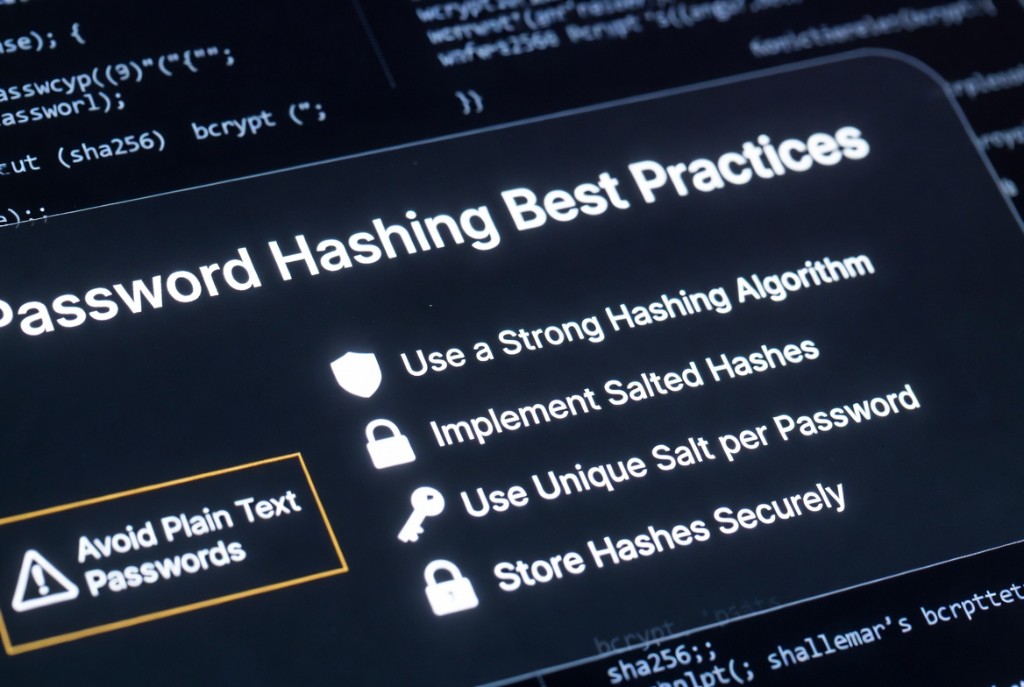
Password hashing best practices
September 30, 2026 · 14 min read
Password hashing is not optional configuration - it is the last line of defense when a database leaks. Security reviews still find plaintext columns, single-round SHA-256, and shared salts because teams treat hashing as a checkbox instead of a system design choice. This article is a practical checklist: what to use, what to store, and what never to do, with pointers to tools you can run locally while implementing auth.
Hashing is one-way. You cannot recover the password for “show me my password” features. Reset flows must issue new credentials. Verification means hashing the login attempt with the same algorithm parameters and comparing to the stored record using a constant-time function from your library.
Use a strong, slow hashing algorithm
Password hashes must be deliberately expensive so offline attackers cannot test billions of guesses per second on GPUs. Use dedicated password hashing functions: bcrypt, scrypt, or Argon2id through maintained libraries (bcryptjs, libsodium, Spring Security, ASP.NET Identity, and similar) - not general-purpose SHA-256 or MD5.
SHA-256 is excellent for integrity and fingerprints; it is the wrong tool for passwords because it is too fast. An attacker with a stolen hash file can run parallel dictionary attacks at enormous scale. If your codebase has sha256(password) anywhere in the auth path, treat it as a critical finding.
- Prefer Argon2id for greenfield apps when your stack supports it.
- Use bcrypt with cost 12+ as a widely deployed default - measure latency on your hardware.
- Increase work factors over years as CPUs get faster; rehash on successful login when you bump cost.
import bcrypt from "bcrypt";

// Registration: hash once, store only the bcrypt string
const hash = await bcrypt.hash(plainPassword, 12);

// Login: compare - never compare raw strings yourself
const ok = await bcrypt.compare(attempt, storedHash);
Implement salted hashes
A salt is random data mixed into the hash so identical passwords do not produce identical stored values. Without salts, attackers use rainbow tables: precomputed hash → password maps that crack many accounts at once. With salts, each hash requires its own cracking effort even when users choose the same password.
Modern algorithms embed the salt in the stored string (bcrypt’s $2b$12$... format includes salt and cost). You do not need a separate salt column unless your design explicitly requires one - follow your library’s output format and never invent a custom concatenation scheme.
Use a unique salt per password
One global application salt is weaker than per-user salts: if it leaks, every hash is easier to attack with the same dictionary. Per-password (per-user) salts mean cracking effort does not scale across the whole user table.
Generate salts with a cryptographically secure random number generator - crypto.randomBytes in Node, secrets in Python, RandomNumberGenerator in .NET - not timestamps, usernames, or email addresses. Salts do not need to be secret; they must be unpredictable and unique.
Store hashes securely
- Persist only the hash string (and optional algorithm metadata), never plaintext or reversible encryption of passwords.
- Restrict database roles: application login should not SELECT password columns for unrelated features.
- Separate auth data from analytics replicas; mask hash fields in non-prod dumps.
- Use rate limiting and CAPTCHA on login in addition to slow hashes - defense in depth.
- Return generic errors (“Invalid credentials”) for wrong user vs wrong password to reduce enumeration.
Never log passwords, hash inputs, or compare results in application logs, APM tools, or error trackers. If you must debug auth, use isolated fixtures and redact production exports. For local experiments with cost factors, use the bcrypt hash generator in the browser - still not for production user registration.
Avoid plain text passwords
Plaintext storage fails every compliance framework and user trust expectation. “We encrypt passwords in the database” with a reversible key is still recoverable by anyone with that key - use one-way hashing instead. Client-side hashing before send does not remove the server’s obligation to hash again; attackers can submit the hash directly if the server treats it as the password.
Multi-factor authentication reduces impact of cracked passwords but does not replace hashing. OAuth users may not have passwords in your DB - do not create empty password columns that encourage placeholder values.
For deeper mechanics (Blowfish rounds, verification flow, upgrade paths), read how password hashing works and bcrypt vs Argon2. To see why fast hashes fail, compare output from the SHA-256 hasher with bcrypt strings from the generator - same input, radically different threat model.
FAQ
- Is bcrypt still acceptable in 2026?
- Yes for many apps. Argon2id is often preferred for new systems. Both beat fast hashes; pick what your auth library supports well.
- Should I pepper passwords in addition to salt?
- A server-side secret pepper can add defense in depth if stored outside the DB, but per-user salts and slow hashes are the baseline. Do not skip salts because you added a pepper.
- Can I use SHA-256 with enough iterations?
- PBKDF2-HMAC-SHA256 with high iteration counts is acceptable in some standards, but bcrypt/Argon2/scrypt are purpose-built and easier to configure safely.
- How do I migrate from weak hashes?
- Verify with the old scheme on login, then rehash with bcrypt/Argon2 and replace the stored value. Force password reset for dormant accounts if needed.
Related: How password hashing works · bcrypt vs Argon2 · SHA-256 explained · bcrypt generator